Michael

  • Fixing Sticky Columns on Mobile in GeoDirectory (Blockstrap)

    Fixing Sticky Columns on Mobile in GeoDirectory (Blockstrap)

    Intro

    After setting up my sticky sidebar column in GeoDirectory, it looked great on desktop.

    But when I checked on mobile, things broke — instead of stacking nicely under the main content, the sidebar turned into a slim, squished column.

    Here’s how I fixed it.


    Problem

    On desktop: sidebar = 25% width, content = 75%.
    On mobile: sidebar stayed at 25%, instead of expanding to 100%. This caused an ugly layout.


    Solution

    The trick is to use Blockstrap’s responsive column widths.

    1. Select the parent columns in Blockstrap editor.
    2. In Column Width settings:
      1. On Desktop:
        1. Left content column = 3/12 (25%).
        2. Right sidebar column = 9/12 (75%).
      2. On Mobile:
      3. Both columns = 12/12 (full width).
    3. For the child sticky column inside, always keep it at 12/12 (100% of parent).

    Use the device selector in the column width settings to apply different widths per device.


    Extra Notes

    • This is one of those small Blockstrap features I didn’t realize existed — you can toggle between desktop, tablet, and mobile column widths right in the editor.
    • Once I set them, the sticky sidebar stacked perfectly under the content on mobile.

    Conclusion

    Sticky sidebars don’t have to break your responsive layout. Just set column widths per device (desktop vs. mobile) in Blockstrap, and your design will look great everywhere.
  • How to Make a Sticky Sidebar Column in GeoDirectory (Blockstrap)

    How to Make a Sticky Sidebar Column in GeoDirectory (Blockstrap)

    Intro

    When I was customizing my GeoDirectory search results page, I wanted the right-hand sidebar (with filters) to stay fixed while scrolling — basically a sticky column.

    It’s not obvious how to do this in the Blockstrap editor, but GeoDirectory support showed me the trick.


    Problem

    By default, columns just scroll away with the page. I needed the search filters column to remain visible while the listing results scrolled.


    Solution

    Here’s the simple way to make a column sticky:

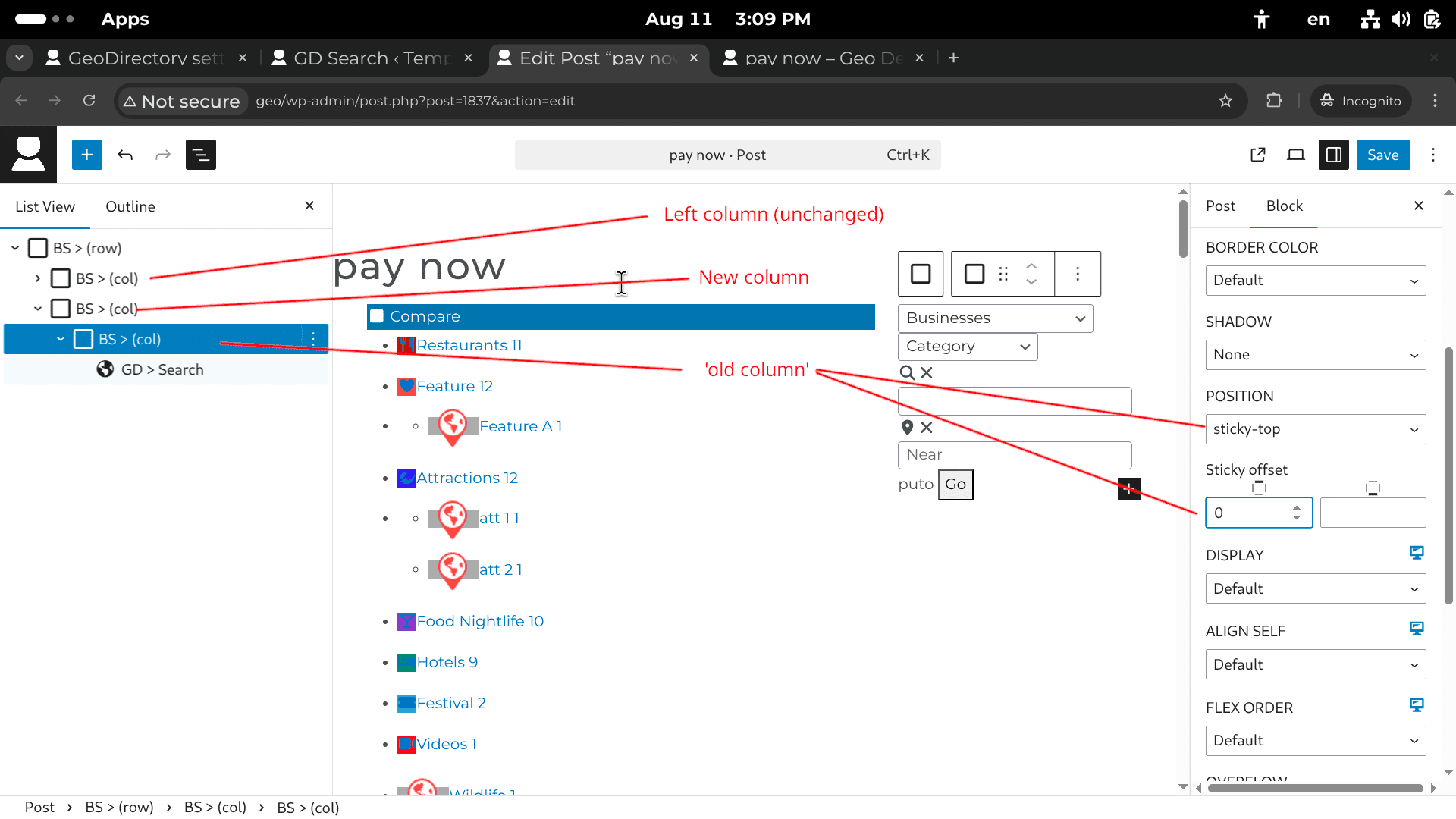
    1. In the Blockstrap editor, wrap the sidebar column inside a new BS > Container (col).
      1. Example: Right column → wrap it in its own parent container.
    2. Select that new parent container.
    3. In the Block settings (right panel):
      1. Set Position → sticky-top.
      2. Adjust Sticky offset (in pixels) to control how far from the top it “sticks” when scrolling.

    This keeps the sidebar fixed in place while the main content scrolls.


    Extra Notes

    • In my case, the “old column” was the one containing the GD > Search template part and the GD > Locations widget.
    • The offset is useful if you have a fixed header (so the sticky column doesn’t overlap it).

    Conclusion

    That’s it! Just wrap your sidebar column, set it to sticky-top, and you’ve got yourself a sticky filter column in GeoDirectory.

  • Fix: GeoDirectory Location and Archive Pages Missing from Rank Math Sitemaps

    Fix: GeoDirectory Location and Archive Pages Missing from Rank Math Sitemaps

    Introduction

    I ran into an issue where my GeoDirectory location pages and archive pages weren’t showing up in Rank Math’s sitemaps. This was a problem because without them, Google couldn’t properly crawl my directory site.

    Here’s how I fixed it.


    The Problem

    • Rank Math was only generating sitemaps for my listings, not for my location pages or archive pages.
    • I had added new regions and cities after Rank Math initially created the sitemap, which I suspect was the cause.

    The Solution

    The fix came down to enabling the correct settings with GeoDirectory’s Location Manager addon.

    1. Make sure the Location Manager addon is installed and activated.
    2. Go to: GeoDirectory → Settings → Locations → Settings
    3. Click Show Advanced.
    4. Under Rank Math Sitemaps, select the locations and CPTs (custom post types) you want included.
    5. Rank Math will now generate:
      1. locations/{city} → one sitemap for each city.
      2. businesses/{city} → one sitemap for each CPT in that city.
      3. Plus additional sitemaps for taxonomy archives.

    After enabling this, my missing sitemaps finally appeared.


    Extra Notes

    • If you added new regions or cities after Rank Math already generated the sitemaps, you may need to refresh the cache.
    • This setup ensures each location has its own sitemap, which is great for SEO.

    Conclusion

    If your GeoDirectory location and archive pages aren’t showing up in Rank Math, don’t panic. Just enable them under Location Manager → Rank Math Sitemaps, and they’ll start appearing correctly.

  • GeoDirectory SEO: Should You Prioritize Location Pages or CPT Archive Pages?

    Introduction

    When I first started building my GeoDirectory site, I ran into a question that probably crosses every directory owner’s mind at some point: What happens when location pages and custom post type (CPT) archive pages overlap?

    In other words: which should I focus on for SEO, and how do I avoid duplicate content issues?

    I reached out to GeoDirectory support, and here’s what I learned.


    The Problem

    GeoDirectory automatically creates both:

    • Location pages → Pages dedicated to a city, state, or region.
    • Archive pages → Pages dedicated to a post type (like “Skateparks”) or a taxonomy (like “Concrete Parks”).

    But here’s the catch: both types of pages can sometimes feel like they’re competing for the same keywords. For example, your “San Francisco” location page and your “Skateparks” CPT archive could overlap. So which one should you prioritize for SEO?


    The Solution

    According to GeoDirectory support, here’s the key difference:

    1. Location pages are the entry point
      1. They link to all listings in a given city or region.
      2. Example: https://skateboardparknearme.com/location/california/san-francisco/ 
      3. These are the pages people are most likely to search for because users usually care more about what’s near them than just a broad category.
    2. Archive pages are limited in scope
      1. They only cover one post type or one category.
      2. Example: https://skateboardparknearme.com/skateparks/california/san-francisco/
      3. They don’t link back to locations, so they’re less useful as an SEO “hub.”
    3. Best practice for SEO
      1. Focus on building out your location pages.
      2. Use location settings and category settings to add unique, page-specific content.
      3. This prevents duplicate content while giving Google clear signals about what each page is for.

    Extra Notes & Analogy

    Support compared the setup to TripAdvisor:

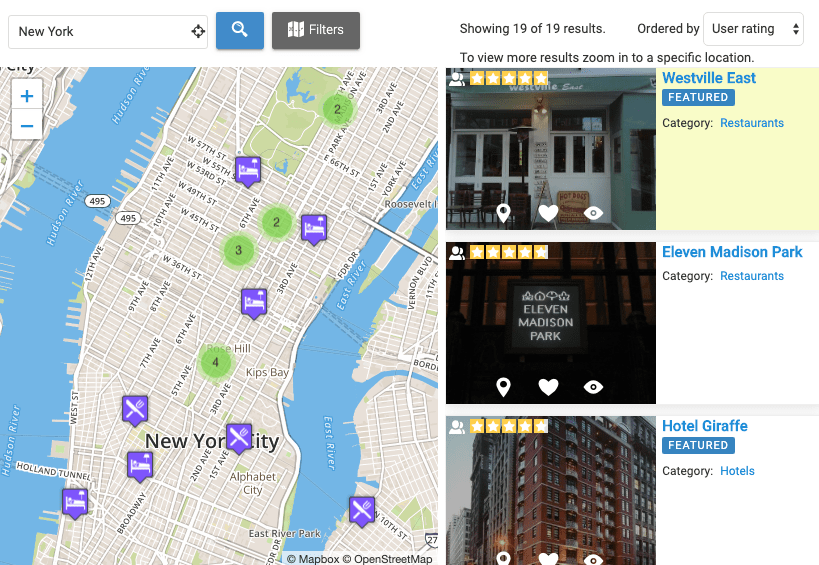
    Notice how the location page is much more helpful for someone searching “things to do in Brisbane,” while the archive page is just a list.

    That’s the mindset you should adopt with your own site.


    Conclusion

    If you’re worried about duplicate content between GeoDirectory’s location and archive pages, don’t be. Just remember:

    • Prioritize location pages — they’re more valuable for SEO and user intent.
    • Add unique content to each location (and category if needed).
    • Think like your users — they usually search by city or region first.

    This approach keeps your site organized, prevents SEO overlap, and gives visitors exactly what they’re looking for.

  • From Effort to Ownership

    I grew up in a family that didn’t own a lot of things.

    We lived a decent life and I have wonderful memories of my childhood—but it was never about getting toys whenever I wanted or buying things just because.

    My parents, hardworking middle-class employees, always emphasized the value of effort. “Put in the work, and life will take care of you.” That belief became the foundation of how I approached everything in my early years.

    For a long time, I thought effort was the whole game. And to be fair, effort matters—it puts food on the table, pays the bills, and gives you stability. But what I failed to realize, at least until the age of 35, was that effort alone doesn’t take you all the way.

    The missing piece was ownership.

    Assets.

    Leverage.

    Because while hard work ensures today’s meal, ownership ensures tomorrow’s without you having to clock in for it. Ownership is what allows growth to compound instead of staying flat.

    Looking back, I see why my progress felt linear. I was over-indexed on effort, blind to the idea that building or owning something is what creates freedom.

    Now, I understand: hard work is the foundation, but ownership is the multiplier.